Showing posts with label Unity. Show all posts

Jan 1, 2026

Hybrid AI Movement - A case of character controller + navmesh agent

One of the trickiest parts of the game is handling AI movement, mostly because I use a hybrid solution made of:

  • Root motion animations for busy actions such as attacks, spell casting, dodges, and parry reactions — mostly because there is no better movement than the one built directly into the animation itself, and this brings a much more natural fluidity to combat.
  • NavMesh pathfinding, which is activated specifically for the Patrol and Chase states, since these depend on navigating the scene’s NavMesh paths. This is used only as a guide for the third piece of the puzzle.
  • CharacterController, which acts as the actual motor that moves the AI around when root motion is not being used. This controller is fed with movement data coming from the NavMeshAgent’s pathfinding results.

This is the code I use to make all of this work together:


private void OnAnimatorMove()
{
    Vector3 gravity = characterGravity != null && characterGravity.ignoreGravity
        ? new Vector3(0, characterGravity.initialY, 0)
        : Physics.gravity;
    if (animator.applyRootMotion && characterController.enabled)
    {
        // If the agent is enabled and we are not performing an action,
        // use the NavMesh to guide the CharacterController
        if (agent.enabled && !isBusy)
        {
            Vector3 worldDeltaPosition = agent.nextPosition - transform.position;
            worldDeltaPosition.y = 0f;
            Vector3 direction = worldDeltaPosition.normalized + gravity;
            float speed = ShouldRun() ? chaseSpeed : patrolSpeed;
            if (!characterController.isGrounded)
            {
                direction += agent.transform.forward * 2f;
            }
            if (agent.velocity.magnitude <= 0.1f)
            {
                speed = 0f;
            }
            characterController.Move(speed * Time.deltaTime * direction);
            agent.nextPosition = transform.position;
            HandleAgentRotation();
        }
        else
        {
            // Apply animator root rotation
            transform.rotation *= animator.deltaRotation;
            // Apply root motion position and gravity
            Vector3 rootMotionPosition =
                animator.deltaPosition + gravity * Time.deltaTime;
            if (isCuttingDistanceToTarget)
            {
                HandleCuttingDistance(ref rootMotionPosition);
            }
            characterController.Move(rootMotionPosition);
        }
    }
}

HandleCuttingDistance is a helper function that makes the enemy dash toward the player, almost like a glide effect. This is great for making combat more challenging, since the enemy can close distances very quickly.


Why isn’t NavMesh alone enough?

Unity’s NavMeshAgent is great at pathfinding, but terrible if you want enemies to be pushed off the NavMesh area.

I iterated through multiple solutions, but none of them worked well. In the end, I found that only activating the NavMeshAgent for Patrol and Chase was enough, while letting other states be handled entirely by animations.

For example, if an enemy dodges using root motion, the NavMeshAgent is disabled, so there’s nothing preventing that enemy from falling off a cliff. Of course, this is one of the worse trade-offs of this approach — certain enemy actions can end up causing their own death.

There is definitely room for improvement here, such as turning dodge actions into proper state-machine states that enable the NavMeshAgent on state enter and disable it on state exit.


Common issues with this hybrid approach

One of the main issues I ran into was enemies getting stuck in certain areas. For this system to work properly, there are two very important things to take into account:

  • CharacterController dimensions must be smaller than the NavMeshAgent’s dimensions
    The controller’s radius and height must be smaller than the agent’s radius and height. Otherwise, the agent might find a valid path, but the CharacterController collides with the environment, causing the AI to get stuck — even though the agent itself “fits.”
  • Step height must match between the agent and the controller
    I was still having issues even with correct dimensions, and eventually found the cause: the NavMeshAgent step height was set to 0.5 (50 cm), while the CharacterController’s step offset was only 0.1 (10 cm). This meant the agent could plan paths over steps that the CharacterController physically could not climb.

Because of this mismatch, the agent wanted to move forward, but the controller refused — resulting in a stuck AI.


This fix should be included in the next patch for the game.


These are some hard-conquered lessons after many iterations on this problem 🙂 I hope this helps someone out there who is trying to build Soulslike AI movement using a hybrid solution with NavMesh and CharacterController.

Sep 18, 2024

Unity - Code runs in editor but not in build

 Just had this really stupid issue happening where my code was working in the editor but when building the game and running the build executable, the code wasn't running at all.

Tried debugging the executable and couldn't put breakpoints on the specific class related to the issue... I turned to chatgtp and he suggested using [Preserve]

So, today I learned Unity strips away unreferenced code to save up on build size.

The problem with my class was that it wasn't used by any other classes. The public methods were meant to be called in the editor, by way of Unity Events... so my class was working fine in the editor... but it didn't exist in the executable build :')

The trick is to put a [Preserve] before the class, to prevent it from being ignored during build run. More info here: https://docs.unity3d.com/ScriptReference/Scripting.PreserveAttribute.html

And here's the class:


using System;
using UnityEngine;
using UnityEngine.Scripting;

namespace AF.Tutorial
{
    [Preserve]
    public class TutorialManager : MonoBehaviour
    {
        [SerializeField] private TutorialSection[] tutorialSections;
        [SerializeField] private TutorialSection startingTutorial;

        private TutorialSection activeTutorialSection;

        void Start()
        {
            InitializeTutorials();
        }

        private void InitializeTutorials()
        {
            DisableAllTutorials();

            if (startingTutorial != null)
            {
                activeTutorialSection = startingTutorial;
            }
            else if (tutorialSections.Length > 0)
            {
                activeTutorialSection = tutorialSections[0];
            }

            if (activeTutorialSection != null)
            {
                activeTutorialSection.gameObject.SetActive(true);
                activeTutorialSection.Activate();
            }
        }

        private void DisableAllTutorials()
        {
            foreach (var tutorial in tutorialSections)
            {
                if (tutorial != null)
                {
                    tutorial.gameObject.SetActive(false);
                }
            }
        }

        public void Advance()
        {
            ChangeTutorialSection(1);
        }

        public void Return()
        {
            ChangeTutorialSection(-1);
        }

        private void ChangeTutorialSection(int direction)
        {
            int currentIndex = Array.IndexOf(tutorialSections, activeTutorialSection);

            if (currentIndex >= 0)
            {
                int newIndex = currentIndex + direction;

                if (newIndex >= 0 && newIndex < tutorialSections.Length)
                {
                    activeTutorialSection.gameObject.SetActive(false);
                    activeTutorialSection = tutorialSections[newIndex];
                    activeTutorialSection.gameObject.SetActive(true);
                    activeTutorialSection.Activate();
                }
            }
        }
    }
}

May 4, 2023

UNITY PERFORMANCE: FindObjectOfType => outside of start() or awake() is problematic


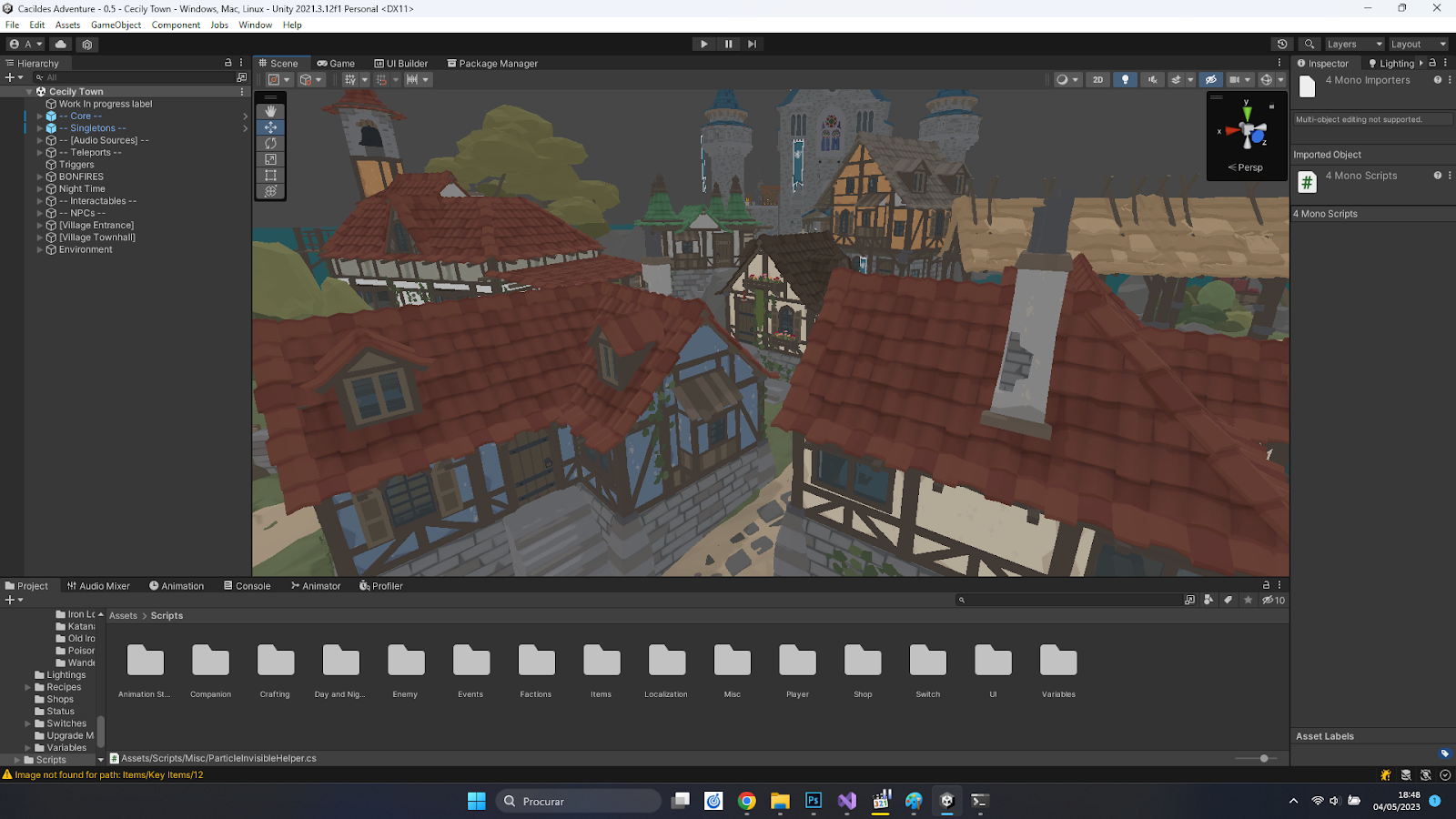
 Just a heads up on something I was unaware. As I added many climbable ladders to my city, I started noticing the frames dropping and while using Profiler, I noticed it was due to the Update loop. There was a reference in the Update loop to the FindObjectOfType call, which I thought was done only once during the gameobject initialization.

I put the FindObjectOfType references in the Awake() method instead, and my framerate doubled, from 60 to 120. So, heads up! :-P


BEFORE:


AFTER:


Mar 16, 2023

Cacildes Adventure - versão 0.5 vai conter o melhor fix!

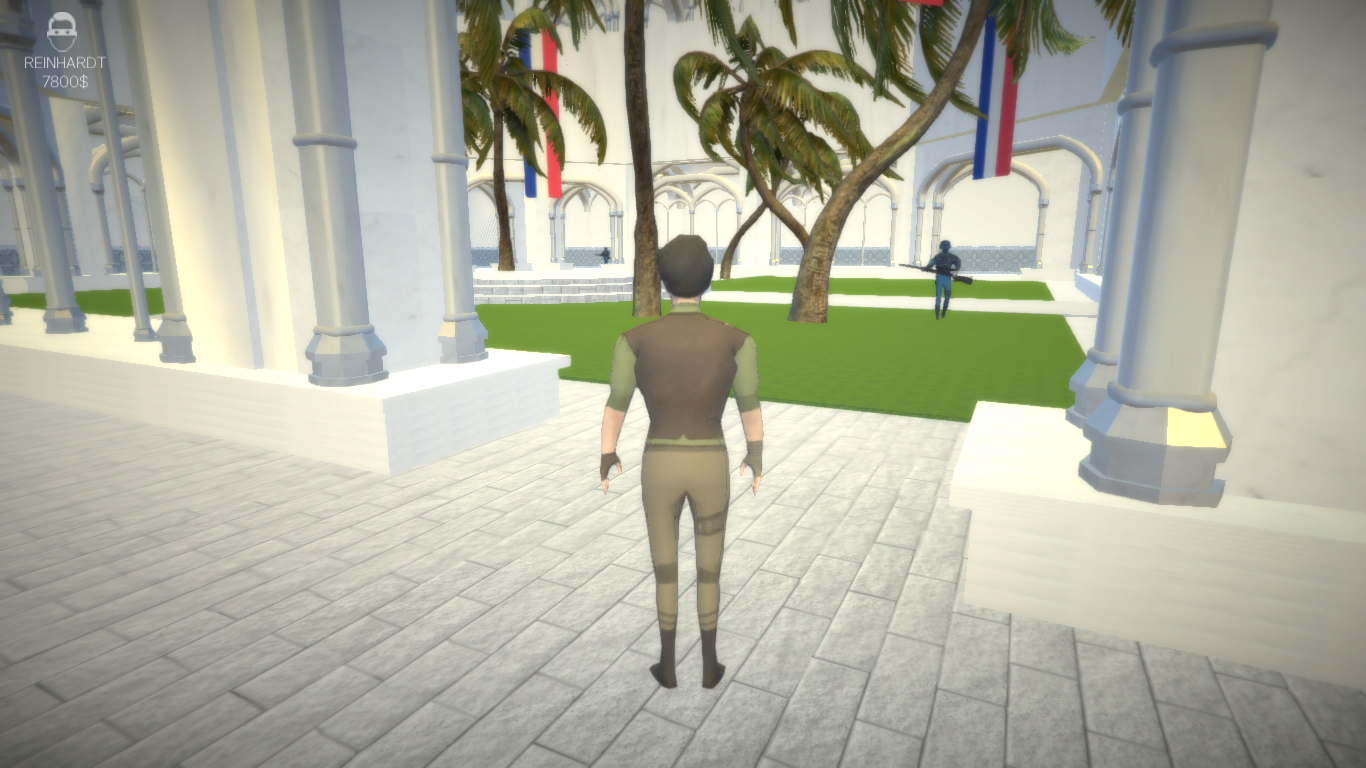
Algo que me chateou bastante durante a versão 0.4 do Cacildes Adventure foi este bug em que os inimigos se esquivam para dentro de paredes e depois ficam presos, porque durante o momento do dodge, o código troca a lomocação do NavMeshAgent para a do root motion. Este híbrido de Root motion para alguns estados de animações e navmesh para outros é bastante útil. Mas pode gerar bugs como na primeira parte do vídeo.

A solução foi bastante engraçada, na verdade. Em cada frame do StateUpdate do EnableRootMotion, vamos checar se a nossa posição atual está dentro da walkable area do navmesh do environment. Se estiver, tudo bem, continuemos com o root motion. Se não estiver, ora toca de ativar o navmesh, pois assim vai haver um reposicionamento automático da personagem!


Oct 7, 2022

Multiple save files, lock on system, negative status effects like Dark Souls

 Hey everyone,

It's been a while since I've posted updates so here are some new things to showcase in the video below:

Lock on system - just like in Dark Souls, you can lock on to enemies to facilitate combat direction. Also, attack animations have a initial time where you can rotate the character before it commits to the attack, blocking your rotation. This feels really good and it's the way it's done in the souls series;

Multiple Save Files - wanted to do this for a while! You can now have multiple save files, and they will have a screenshot of your character and also the total game time!

Better UI - my girlfriend complained that the weapons stats and equipment was very confusing so I tried to improve it and give some explanation fo how attack and defense works (it's like in Dark Souls, if you've played it). You have your base physical attack / defense, and for weapons, they will scale with your strength or dexterity, with their Scaling Bonus ranging from E to S (worse - better);

Negative Status Effects - it was already available in Episode 1 v0.1, but I've improved it UI-wise;

Better Dialogue UI - It's just that! A better Dialogue UI :-) You can now leave conversations in the middle as well, just like, you guessed it, Dark Souls;

And much more!

What is up next?

Alchemy crafting system (yes, the game needs one. Crafting potions is so cool, and I have some neat ideas for potions that influence gameplay);

Day / Night system, with NPCs showing up at certain times of day, or plants growing once per day if you pick them up, or harder enemies at night. It will be done!

Parry System like Sekiro where enemies have posture and if you break it, you'll receive a chance to punish the enemy with a critical attack;

That is what's on the roadmap before Episode 2 gets started. I'm in the prototype phase still, but I'm feeling confident. In just two weeks it felt like I really grinded to a good place. Let's see what happens next!

Nov 15, 2016

Skratch (Unity5) - protótipo disponível!

SKRATCH

Made with Unity5

Produzido por


EQUIPA:

André Fernandes
(Programador, Modelador, Animador, Level Designer, UI)
Rafaela Pereira & Gonçalo Moura
(Modeladores, Animadores e Level Designers)

(twitter.com/popcornGstudio)
(facebook.com/popcorngstudio)

---

FICHA TÉCNICA:

O QUE É? "3D Platform-shooter with low poly aesthetics and light hearted mood"
INSPIRAÇÕES: Crash Bandicoot, Super Mario 64, Windwaker, Yooka Laylee
ENGINE: Unity 5
DATA-DE-LANÇAMENTO: Previsto para 1 de Junho de 2017

---

PREMISSA:

Em Skratch, os jogadores irão encontrar um simpático
pirata espacial que viaja pela galáxia na sua nave,
distribuindo encomendas de discos musicais a
colecionadores de vários mundos alienígenas.

Para as diversas viagens galácticas, Skratch conta
com a tecnologia mais moderna ao seu dispôr, como
motas flutuantes, dezenas de armas e armaduras, e mais!

Cada planeta está repleto de aventuras únicas e 
desafiantes, que prometem entreter os fãs do espaço
e os apreciadores de um humor leve e cativante.

---

DOWNLOAD (Protótipo Novembro):

[35 Mb]


Conta com um mapa de testes onde é possível testar as mecânicas base de combate, da mota espacial, e de nado.

---

GALERIA:


MAIS SOBRE:

Skratch é na verdade o meu projeto de faculdade, do 3º ano do curso de Multimédia e Videojogos.

Estou a desenvolvê-lo com mais dois colegas, a Rafaela e o Gonçalo. 

Precisamos da vossa opinião sobre qualquer aspecto do jogo. Enviem o vosso feedback e o que gostariam de ver adicionado ao jogo. Contamos convosco! =)


Obrigado!